
MyWorkDrive vs Egnyte: A Remote File Access Alternative
Comparing MyWorkDrive vs Egnyte? Your files don't have to move.
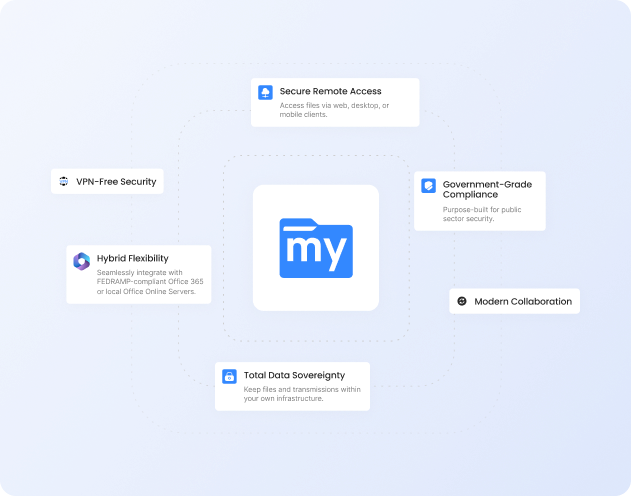
MyWorkDrive connects directly to your existing Windows file servers, Azure Files, Azure Blob, or S3-compatible storage: no migration, no sync jobs, no re-permissioning. Your NTFS permissions and Active Directory stay authoritative. Your users keep working exactly as before.
At $5/user/month or less with full support included, it's up to 80% cheaper than Egnyte, with zero migration spend on top of that.
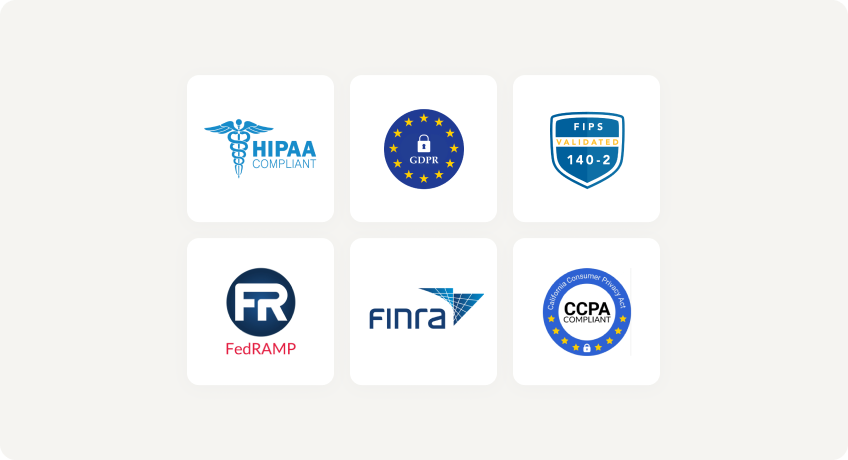
Trusted by Organizations Worldwide


Quick Comparison
| Capability |
|
|
|---|---|---|
| Data migration required | No — works in place with SMB/NTFS, Azure Files/Blob, or object storage you control | Typically yes — primary copy lives in Egnyte Cloud; local appliances cache and sync |
| Time to deploy | Minutes — layers over storage you already run | Cloud signup is quick, but hybrid sync appliances take longer to roll out |
| Active Directory / Entra ID integration | Native — live NTFS permissions enforced, no duplicate identity store | Imported — AD users and groups synced and mapped to Egnyte ACLs |
| File locking | Native SMB locks for local and remote users, consistent with Windows workflows | App-layer / global locks on Egnyte copies; mixed SMB/cloud can add complexity |
| Hosting model | Windows Server + IIS/.NET you manage, or your own cloud. No external database | SaaS platform (Egnyte Cloud) with optional cache/storage sync for hybrid |
| Maintenance overhead | Minimal — no external database or reindexing, uses your existing storage stack | Higher — cloud tenancy plus optional on-prem cache/sync nodes to administer |
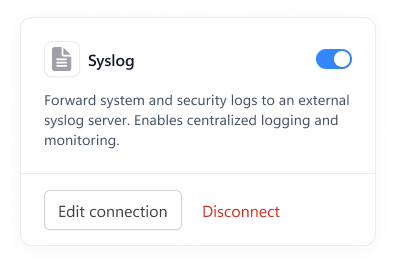
| Compliance & security | Data never leaves your servers; DLP, view-only/no download, watermarking, SIEM integration | Strong governance suite, but data lives in Egnyte Cloud as the system of record |
| Support | Included at no extra charge | Standard support included; premium tiers cost extra |
| List price (per user / month) | $5 or lessall features, no migration cost | From $22migration & retraining typically required |
Faster Setup, Lower Costs
No Migration Required
Deploy in minutes overlaying your existing SMB/NTFS shares or Azure Files/Blob. No re-permissioning, no user disruption.
Native AD and Entra ID
Live NTFS enforcement—no fragile sync jobs or permission drift. Keep Access-Based Enumeration behavior.
Lower Cost of Ownership
$5/user/month or less, zero migration spend, reduced infra/support overhead. Full service support is included.
Why Choose MyWorkDrive?
Where do files live?

- MyWorkDrive: Files remain in place (on-prem or your cloud storage). No external databases or vendor storage required.
- Egnyte: Primary copy is in Egnyte Cloud; hybrid uses Smart Cache/Storage Sync. This introduces copies and ongoing sync.
How is identity/NTFS enforced?
- MyWorkDrive:Uses your existing Active Directory/Entra ID directly; NTFS ACLs are authoritative and enforced live.
- Egnyte: Imports users/groups into Egnyte; NTFS permissions are mapped into Egnyte ACLs.
How is locking and co-authoring handled?
- MyWorkDrive: Native SMB locking—interoperable with existing on-prem workflows and Office co-authoring via Microsoft 365 or OnlyOffice without moving data.
- Egnyte: Locks apply to Egnyte-managed content; hybrid scenarios rely on Egnyte acting as the system of record.
What's the endpoint impact?
- MyWorkDrive: HTTPS streaming with minimal endpoint data sprawl; no large sync folders.
- Egnyte: Sync/caching can duplicate data on endpoints and edge nodes; background resync and conflict resolution overhead.
What do you deploy and maintain?
- MyWorkDrive: Windows Server + IIS. No external DB to patch/backup; keep your existing backup/DR regime.
- Egnyte: SaaS tenancy + optional on-prem caches to manage; data lifecycle and retention shift to Egnyte’s cloud.
Security You Can Prove
With MyWorkDrive, authentication and authorization stay anchored in your directory and your NTFS. No vendor keys to rotate for at-rest copies you don’t control, and no third-party repository to certify, making attestations simpler for regulated workloads.
Data Loss Prevention

(Block downloads, disable copy/paste, watermarking, device approvals)
Learn more
What our users are saying
 Industry-leading secure remote file access solution
We have determined that MyWorkDrive software is essential to the Government’s requirements and market research indicates that other companies’ similar products do not meet or cannot be modified to meet the agency’s needs.
We conducted annual market research in January 2025 by comparing two competitors, ShareFile and Dropbox.
However, neither of these companies provides us with the necessary capabilities required to allow us to utilize the existing infrastructure, maintain stringent control over their data, and integrate with current enterprise security and authentication protocols.
These companies software do not provide real-time collaboration capabilities, does not eliminate Virtual Private Network (VPN) security risks nor prevent lateral network access.
Due to the inabilities noted, we have determined that MyWorkDrive software is essential to the Government’s requirements and market research indicates that other companies’ similar products do not meet or cannot be modified to meet the agency’s needs.
MyWorkDrive is the most network secure compatible software application capable of eliminating VPN security risks and preventing lateral network access…
…Therefore, it is in the Government’s best interest to procure MyWorkDrive software.
Undisclosed Government Agency

See More Reviews




See the MyWorkDrive Advantage for Yourself
Book a personalized demo or start your free trial today