
Access Azure Blob Files Without Storage Explorer
Azure Portal and Storage Explorer were built for admins, not users. Your team needs a mapped drive, a browser, and mobile access to Blob files. No VPN. No migration. Just a gateway to the storage you already have.
Users get one familiar interface. IT keeps full policy control and auditability.


Blob Storage Is Powerful. Access Is The Bottleneck.
You chose Azure Blob for its cost and scale. But getting files into your users' hands means navigating tools that were designed for developers, not everyday teams.
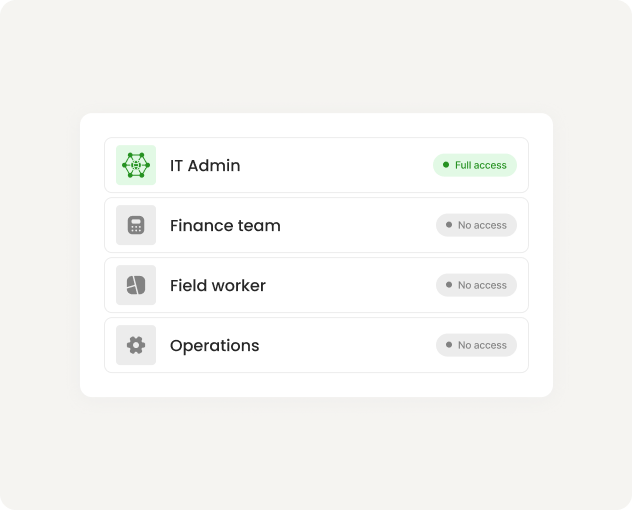
Azure Portal is admin-only
Granting users Portal access creates security risk. Most organizations restrict it to IT. That leaves users locked out of the files they need.
Storage Explorer Is Not User-Friendly
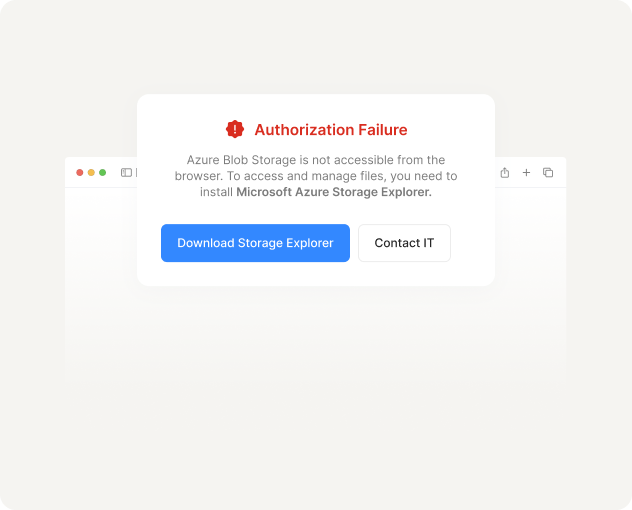
It requires a desktop install, an Azure account, and technical comfort. For a finance team or field worker, it is not a realistic option.
VPNs Add Friction, Not Access
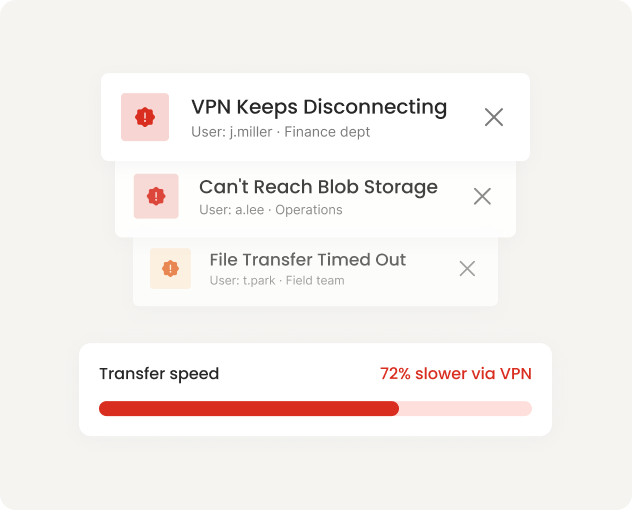
Routing Blob access through a VPN means more help desk tickets, slower connections, and an experience users avoid whenever they can.
Files Stay In Blob. Users Access Them Everywhere.
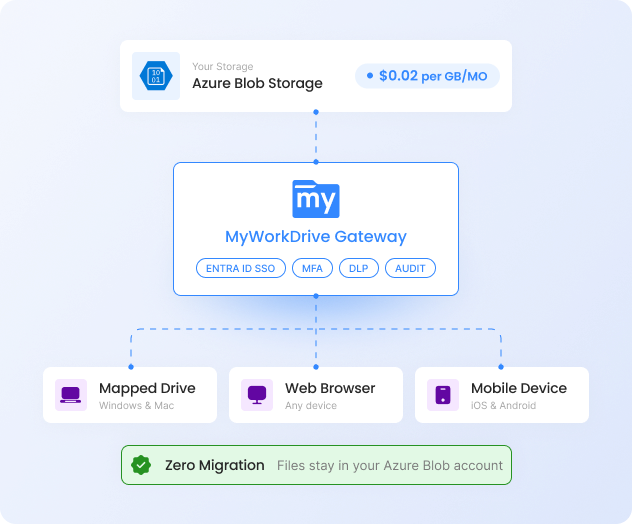
MyWorkDrive is a gateway, not a storage product. It connects directly to your Azure Blob Storage and presents files through familiar interfaces. Nothing is copied. Nothing is migrated. Your existing source of truth stays in control.
Direct connection
to Azure Blob
Connect using a connection string or via hierarchical namespace with Data Lake for NTFS-style folder permissions.
Native Entra ID
authentication
No Active Directory domain controllers required. Users authenticate with the identity provider you already manage.
HTTPS-only. No VPN.
No port 445.
All access runs over port 443. MFA and Conditional Access policies are enforced by your identity provider, not by MyWorkDrive.
Folder-level permissions
via hierarchical namespace
Azure Blob's Data Lake hierarchical namespace lets you set granular Entra ID permissions at the file and folder level.
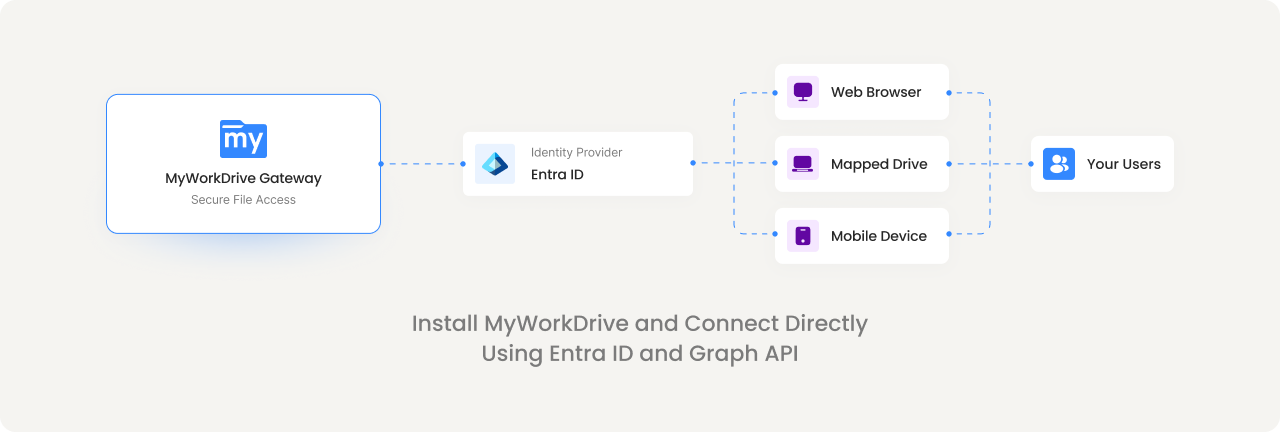
One Blob Share. Three Ways To Reach It.
Every user gets the client that fits their workflow. IT manages one policy layer across all three.
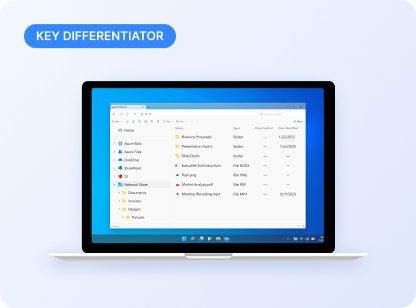
Mapped Drive Client
Windows and Mac users get a familiar network drive letter. Files open natively in desktop apps. Works over HTTPS without a VPN.
Users: "It looks like my regular network drive."
IT: Centrally managed, policy-enforced, fully audited.
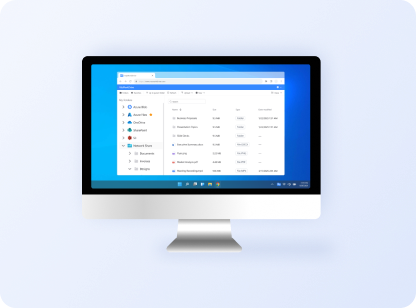
Web File Manager
Access from any browser on any device. No client install. No domain join required. Authenticate with Entra ID credentials.
Users: "I can get to files from any computer."
IT: Zero endpoint footprint. DLP controls still apply.
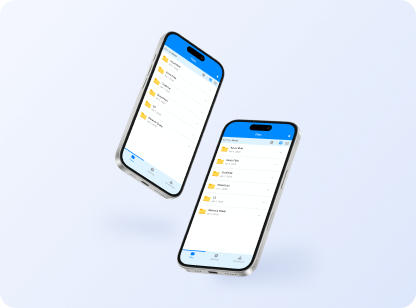
Mobile Apps
iOS and Android apps give field workers, executives, and remote teams file access from phones and tablets.
Users: "I can pull up files on site."
IT: Device approval and view-only mode available.
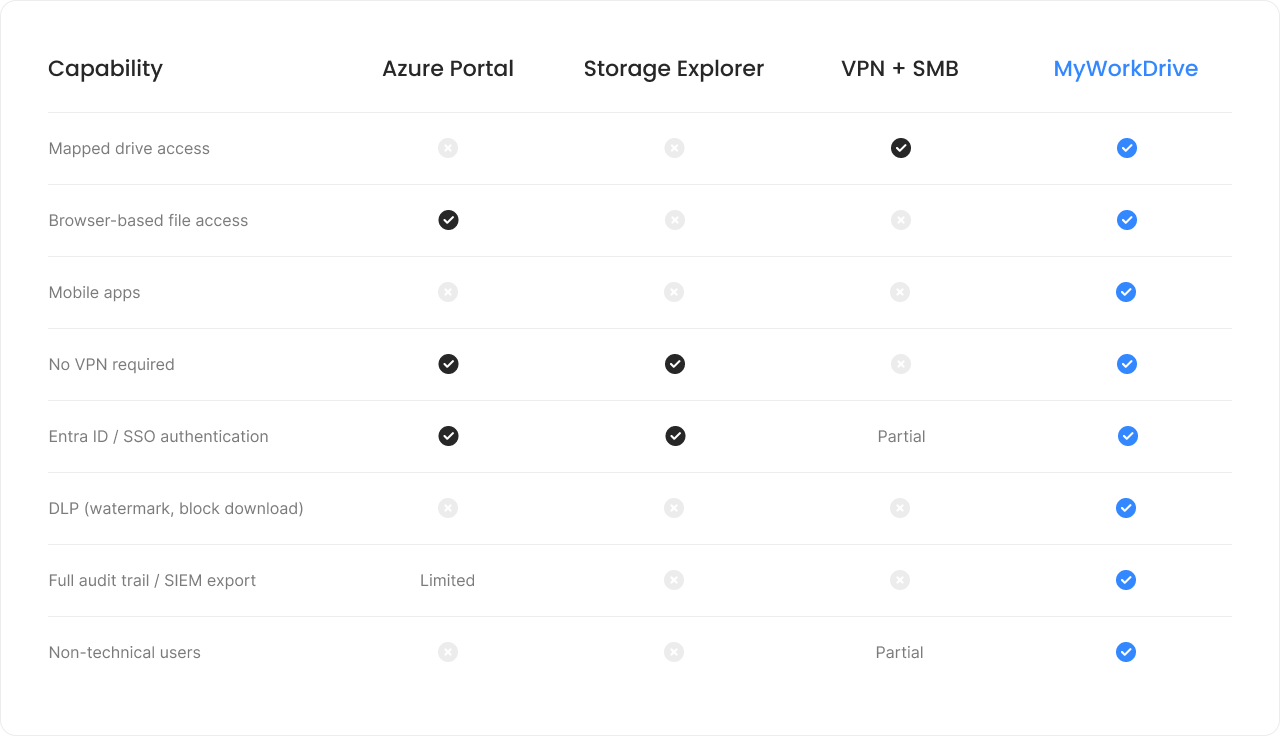
How Else Could Your Users Access Blob?
Most approaches to Blob access were designed for developers or admins. Here is how they compare for everyday user file access.
Your Permissions. Your Control.
Enforced, Not Replaced.
MyWorkDrive does not create a parallel permission system. It enforces what you have already configured in Azure and Entra ID.
Entra ID stays authoritative
Authentication flows through your identity provider. MFA, Conditional Access, and session policies are applied where you already manage them.
Encryption in transit and at rest
All file access runs over HTTPS (TLS 1.2+). Files remain encrypted in Azure Blob Storage. Nothing is decrypted or cached outside your control.
DLP controls for sensitive files
Block downloads, apply watermarks, restrict clipboard access, and enforce view-only mode on confidential documents. All configurable by share or user group.
Audit every access event
Every file open, download, edit, and share is logged. Export to your SIEM for compliance reporting. No access goes unrecorded.
MyWorkDrive cannot elevate permissions. It
can only enforce what is already granted in Azure and Entra ID,
and optionally restrict further by
policy.
Your existing source of truth stays in control.
Deploy In Hours. Not Months.
< 2 Hrs
Average deployment time
0
Files migrated
0
New storage to manage
$5
Per user / month starting
Azure Blob Access, Answered.
Can I map Azure Blob Storage as a network drive?

Yes. MyWorkDrive's mapped drive client connects to Azure Blob over HTTPS and presents it as a standard drive letter on Windows or Mac. No VPN, no port 445, no Azure account needed for end users.
Do I need Active Directory to use MyWorkDrive with Blob?
No. MyWorkDrive supports native Entra ID authentication for Azure Blob Storage. You can go fully cloud-native without maintaining AD domain controllers.
How does MyWorkDrive handle permissions for Blob files?
When Azure Blob is configured with hierarchical namespace (Data Lake), MyWorkDrive respects the Entra ID POSIX-style ACLs at the file and folder level. MyWorkDrive cannot elevate permissions beyond what is already granted.
Is this a new storage layer or does data stay in Azure?
Data stays in your Azure Blob Storage account. MyWorkDrive is a gateway. It does not copy, sync, or store your files. Your backup, compliance, and retention workflows continue to work as-is.
How much does Azure Blob Storage cost compared to Azure Files?
Azure Blob Storage starts at approximately $0.02 per GB for hot-tier storage, significantly lower than Azure Files premium tiers. Combined with MyWorkDrive's per-user pricing starting at $5/user/month, the total cost of ownership is substantially lower than VPN-based or migration-heavy alternatives.
Can users edit Office files stored in Blob?
Yes. Files opened through the mapped drive client open natively in desktop Office apps. MyWorkDrive also supports browser-based editing via Office Online and OnlyOffice, depending on your configuration.
Connect Your Blob Storage In Minutes.
Start a free 14-day trial. Point MyWorkDrive at your Azure Blob account and give your users mapped drive, browser, and mobile access to the files they already have.